This tour is available dubbed in Spanish and dubbed in Spanish with English subtitles on screen. From our online store to your doorstep, discover how computer science, people, and robotics work together to deliver customer orders at Amazon. If you’re looking for the tour in English, please click here.
This content is hosted by a third party.
To view the content, you need to consent to cookies by selecting Accept all in the popup banner. Or you can go to the site footer, select Cookie Preferences, and then select On under Functional Cookies.
Dubbed in Spanish
Experience the full K-5 Robotics FC Tour with professional Spanish voiceover. Students can explore STEM topics and engineering careers in Spanish, with options for English subtitles on screen. This version maintains the same engaging, interactive format while making the content accessible to Spanish-speaking classrooms and families.
STEM + Career-focused
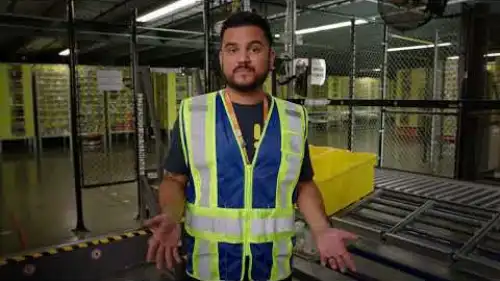
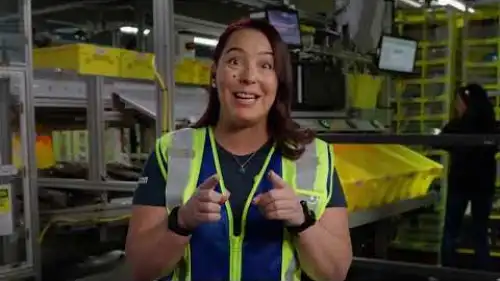
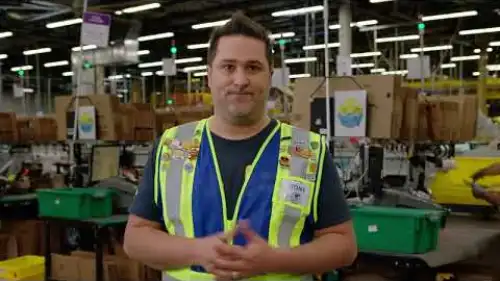
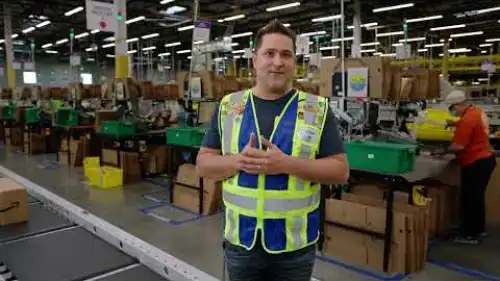
Students gain exposure to the careers of the future to learn how Amazon’s fulfillment system works and meet the real-life engineers who bring the technology to life.
The following STEM topics will be introduced and explained in real-life context during the K-5 Robotics FC Tour: algorithms, databases, robotics, sensors, quality control, cloud computing, efficiency, hardware, software, and systems.
Students explore the following careers: hardware engineer, software development engineer, systems/solutions engineer.
Aligned to Standards
The 45 minute, interactive tour is aligned to Next Generation Science Standards (NGSS) and CSTA K-12 Computer Science Standards. The Teacher Toolkit includes a facilitation guide, worksheets, and other resources to support learning during the tour. Recommended for grades K-5.
The Elementary FC Tour is aligned to the following CSTA standards.
1A-CS-01: Select and operate appropriate software to perform a variety of tasks, and recognize that users have different needs and preferences for the technology they use.
1A-CS-02: Use appropriate terminology in identifying and describing the function of common physical components of computing systems (hardware).
1A-CS-03: Describe basic hardware and software problems using accurate terminology.
1A-DA-05: Store, copy, search, retrieve, modify, and delete information using a computing device and define the information stored as data.
1A-AP-08: Model daily processes by creating and following algorithms (sets of step-by-step instructions) to complete tasks.
1A-AP-11: Decompose (break down) the steps needed to solve a problem into a precise sequence of instructions.
1A-AP-12: Develop plans that describe a program’s sequence of events, goals, and expected outcomes.
1A-AP-15: Using correct terminology, describe steps taken and choices made during the iterative process of program development.
1A-IC-16: Compare how people live and work before and after the implementation or adoption of new computing technology.
1B-CS-01: Describe how internal and external parts of computing devices function to form a system.
1B-CS-02: Model how computer hardware and software work together as a system to accomplish tasks.
1B-CS-03: Determine potential solutions to solve simple hardware and software problems using common troubleshooting strategies.
1B-DA-07: Use data to highlight or propose cause-and effect relationships, predict outcomes, or communicate an idea.
1B-AP-11: Decompose (break down) problems into smaller, manageable subproblems to facilitate the program development process.
1B-IC-18: Discuss computing technologies that have changed the world, and express how those technologies influence, and are influenced by, cultural practices.
1B-AP-15: Test and debug (identify and fix errors) a program or algorithm to ensure it runs as intended.
The tour is aligned to the following Next Generation Science Standards (NGSS) disciplinary core ideas, crosscutting concepts, and science and engineering practices.
K-2-ETS1-1 Engineering Design: Ask questions, make observations, and gather information about a situation people want to change to define a simple problem that can be solved through the development of a new or improved object or tool.
3-5-ETS1-1 Engineering Design: Define a simple design problem reflecting a need or a want that includes specified criteria for success and constraints on materials, time, or cost.
3-5-ETS1-2 Engineering Design: Generate and compare multiple possible solutions to a problem based on how well each is likely to meet the criteria and constraints of the problem.
3-5-ETS1-3 Engineering Design: Plan and carry out fair tests in which variables are controlled and failure points are considered to identify aspects of a model or prototype that can be improved.
Play it on Kahoot!
Kahoot!: The fun, game-like tour is available for FREE on Kahoot! to all interested classrooms and families. Students can play against each other while learning about Amazon’s fulfillment process. No account required.
Our Teacher Toolkit provides educators with guides, worksheets, and other documents aligned to CSTA K-12 Computer Science Standards and Next Generation Science Standards (NGSS). Use these materials to discover all the possibilities with computer science learning and careers of the future, and to set students up for success before, during, and after the tour. Please note: Only the student worksheet is available in Spanish. The Facilitation Guide, Key Student Learnings, and Certificate are in English only and not aligned with the Spanish tour, though they may still support your facilitation.
Student Worksheet (Spanish)
Distribute graphic organizers, translated in Spanish, for students to capture their biggest learnings and wonderings on the elementary fulfillment center tour.
I loved every bit of it. I loved how engaged my students became asking me how to get jobs and what they would need to go to school for. I loved that vocabulary words were used and continually referenced. My students started helping each other with the definitions “hardware is like what you get at the hardware store”.
Teacher, Farmington, NY
This tour was a wonderful interactive experience for my second graders! We completed the tour just in time for the holidays and with students and families alike using Amazon’s services frequently, they were able to take a deep dive into how this process worked. The tour gave students a big question and broke it down into understandable parts. There were a few aspects of the tour that students had thought they knew the answer but were pleasantly surprised. Specifically, how items are arranged in the facility.
Teacher, Ruffsdale, PA
It really changed my student’s understanding of possible career choices- they often don’t realize there are MANY possibilities out there in technology. They enjoyed the behind the scenes and gained a better understanding of something taken for granted. In social studies they’ve learned about the assembly line process and enjoyed seeing what that looks like in a modern age.







 Student Worksheet Answer Key (Spanish)Check your students' fill-in-the-blank answers on the student worksheet.
 Facilitation GuideRead instructions for setting up the Kahoot! tour with classes. Slide by slide script for delivering the tour to students.
 Key Student LearningsDiscover the key vocabulary and learnings covered on the elementary tour by tour stop.
 Student QuizCheck student understanding with a short quiz featuring questions from each stop on the career tour.
 Student CertificatePrint and distribute student certificates to celebrate completing the tour!


